Turn leads into money, from first call to signed quote.
Lead lists, a power dialer, booking links, recorded meetings, pipelines and quotes signed online in one app, with Leo writing every follow-up.
Free plan, no card. Your HubSpot, Pipedrive or GoHighLevel deals come over in one import.
InputKit left HubSpot, Aircall and Fathom for one app.
InputKit sells software to 2,000 service businesses. Its CRM, phones and meeting notes now run in Alori, next to its support chat, email and campaigns, on the same customer records.
Read InputKit's story →One app instead of your sales stack.
From a cold list to a signed quote.
Here is one deal going from a list of companies to a signed quote, without leaving Alori.
- 1Apollo finds the right people
- 2Call through the list
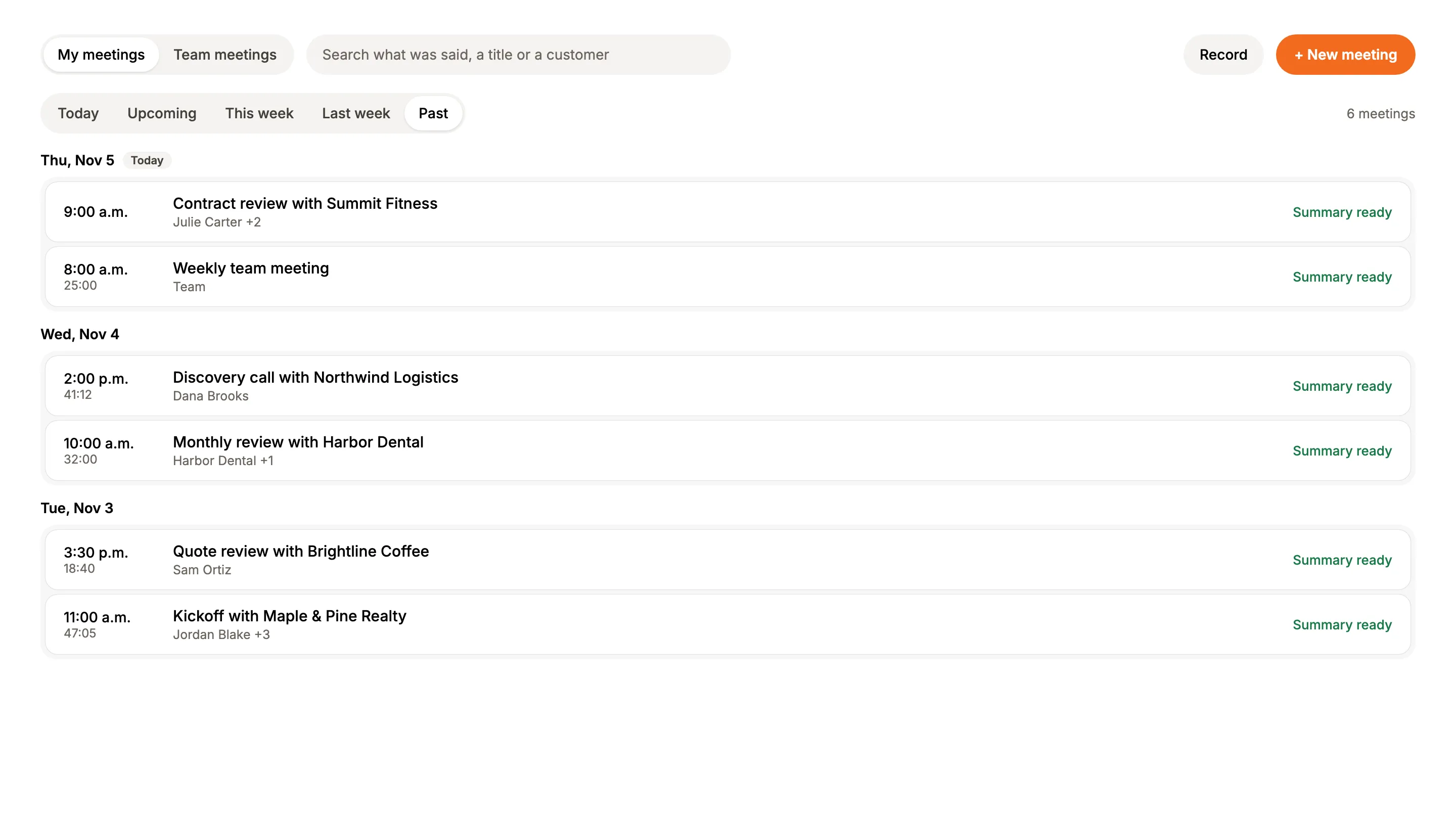
- 3Every meeting has its summary
- 4The quote goes out and gets signed
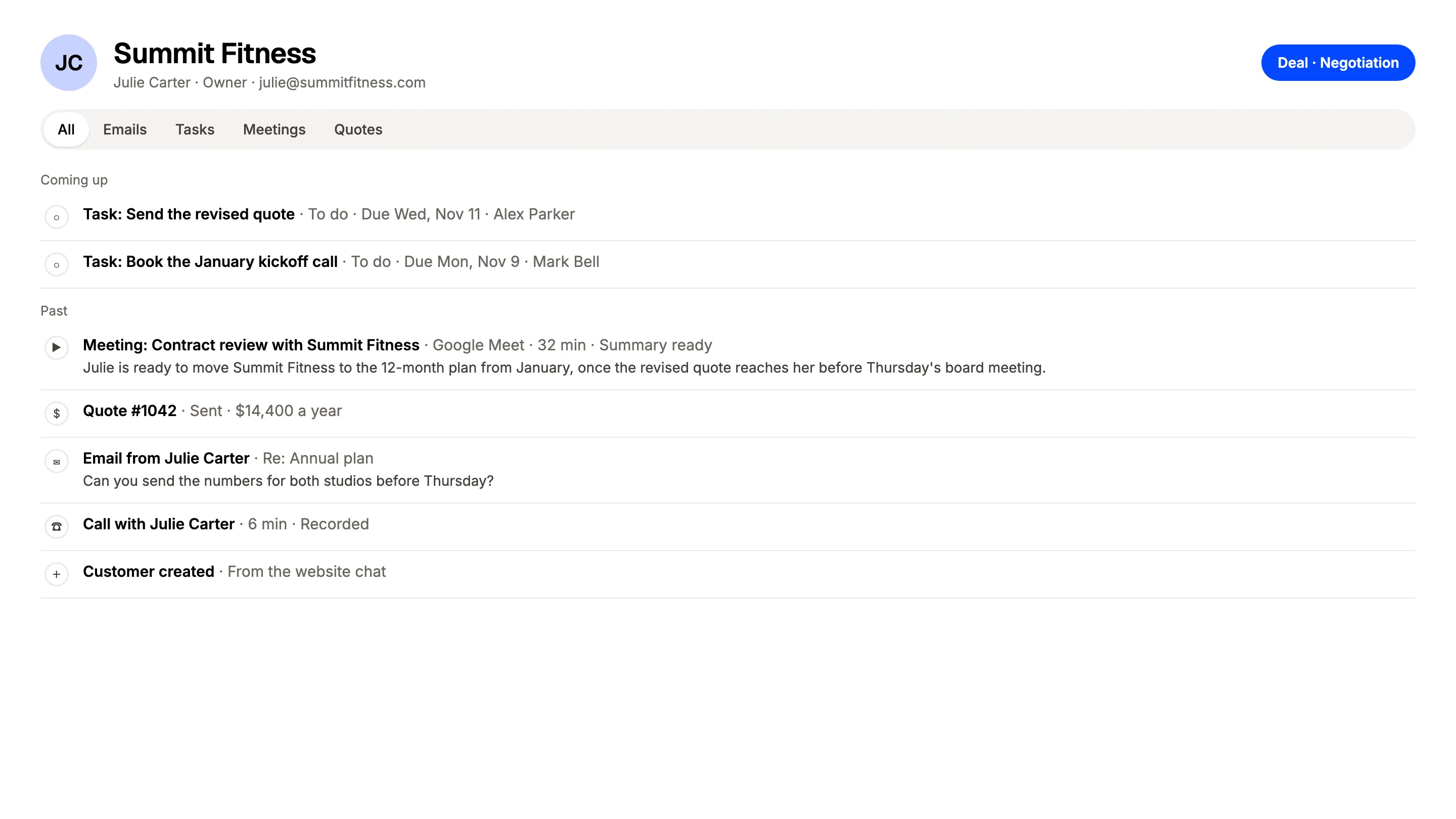
- 5Everything sits on the customer
What changes on Monday.
- 01
BeforeNotes from the call never make it into the CRM
With AloriThe summary and next steps land on the deal when you hang up
- 02
BeforeReps lose an hour a day dialing and leaving the same voicemail
With AloriThe Power Dialer calls the list and drops your recorded message
- 03
BeforeThe follow-up email waits until Friday, or never goes out
With AloriLeo writes it in the rep's voice right after the call
Call the whole list before lunch.
Add numbers from a file, a target list or your customers, and the Power Dialer calls them one after another. When you reach voicemail, drop a message you recorded once and move on to the next call.
- Up to 10 voicemail messages of your own.
- Ask the team to tag every call on a number.
- Every call lands on the customer's record.
Notes from every meeting, without a bot in the call.
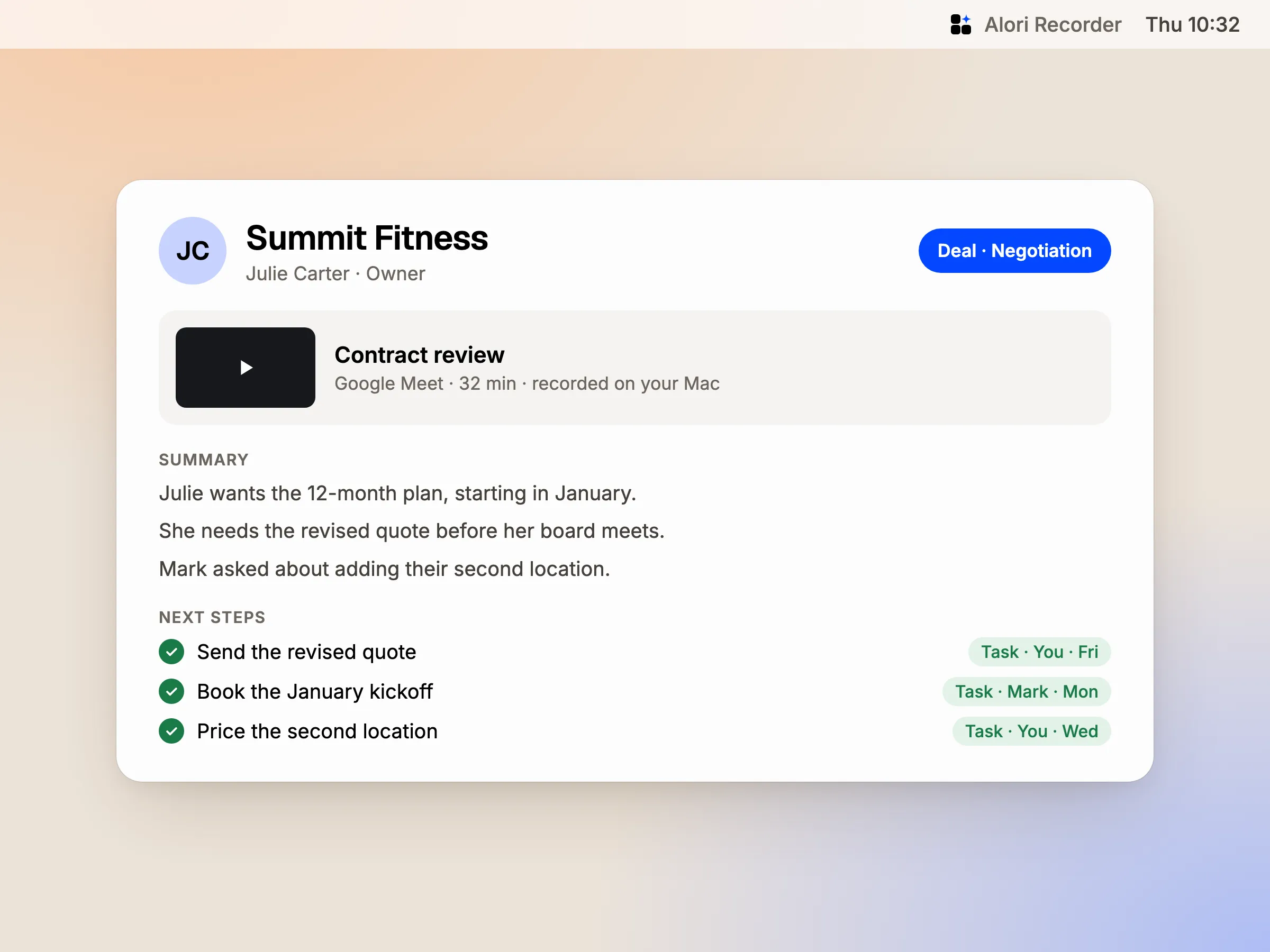
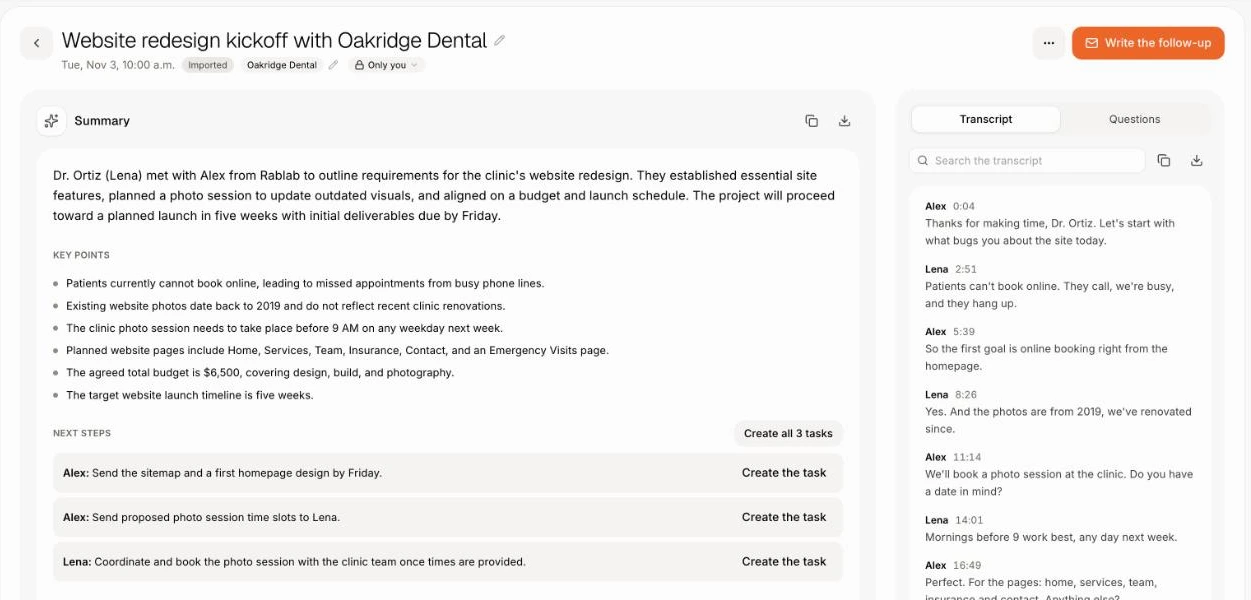
Record a meeting in Alori, or record Zoom, Teams and Meet calls from your Mac with Alori Recorder. When it ends, Alori writes the transcript, the summary and next steps, and puts them on the customer next to the deal.
- Turn a next step into a task in one click.
- Ask anything about the meeting.
- Search what was said across every call.
Leo writes the follow-up for you.
Leo, the AI sales assistant, preps each rep before their customer meetings. After each call, he writes a short recap, the follow-up email in the rep's voice and the deal changes to make. One tap sends it.
- A brief every weekday morning.
- Your hottest deals ranked, with the risks.
- Coaching from every recorded sales call.
Add up your tools. See what you save.
Add the tools you pay for. We count their public prices for your team, take off your Alori plan and show what you save.
Today
Sales and CRM
HubSpot
Unlimited users, your history in one click
Sales Hub Starter plan, 5 users
$1,200 a year
Communication
Aircall
A business phone that knows the customer
Essentials plan, 5 users
$1,800 a year
Fathom
Records your calls with no bot, notes on the customer
Business plan, 5 users
$1,500 a year
Office time
Calls, emails and paperwork Alori's bots take on
Potential savings
$7,492 a year
71% of what you spend today.
- Sales and CRM$1,200HubSpot
- Communication$3,300Aircall, Fathom
- Office time$5,9805 h a week at $23 an hour, estimated
- Alori Business plan−$2,988
Estimated from public list prices checked in November 2026, billed yearly when that's cheaper. Your results will vary. Calls, texts, video and AI work use your plan's monthly credits. What Alori replaces, tool by tool
Change it by asking.
Your app isn’t frozen on day one. Write what you need, the way you’d text it. Alori makes the change and shows you before anything goes live.
- Which deals should I focus on this week?
- Add these 30 companies to a target list and find their founders
- What did Julie say about the price on our last call?
- How much did we upsell this month?
The full guide
Everything above, in detail: how it works, what it replaces and what it does not.
Short answer: Alori puts the whole sale in one app: lists of people to reach, a power dialer with voicemail drop, booking links, recorded meetings with notes and next steps, pipelines with deals, quotes your customer signs online, and upsells tracked after the win. Leo, the AI sales assistant, preps each rep before their meetings and writes the follow-up after each call. It all sits on the same customer records, with unlimited users on every plan.
The problem: a different tool for each step of the sale
A small sales team usually closes deals across a stack of separate tools:
- A CRM like HubSpot, Pipedrive, GoHighLevel, Salesforce or Close, paid per seat.
- A cold email tool like lemlist or Instantly.
- A dialer like Aircall or JustCall.
- A booking link like Calendly.
- A meeting notetaker like Fathom, Otter or Fireflies.
- A quote and e-signature tool like PandaDoc or DocuSign.
Each tool has its own login, its own contact list and its own bill, and the rep copies notes from one to the next. Alori replaces the stack with one app.
What Alori does for sales
| What you need | What Alori does | What it replaces |
|---|---|---|
| Track every deal | Pipelines with your own stages, deals with one-time and monthly lines, and each deal's page set up with the cards your team needs | HubSpot, Pipedrive, GoHighLevel, Salesforce, Close |
| Know who to reach | Target lists from a file, a Google Sheet or a list of companies. With Apollo connected, Alori finds the right people at each company and fills in missing emails and phones | Spreadsheets of leads |
| Call through the list | The Power Dialer calls a list one number after another. Drop a recorded voicemail in one click, and ask the team to tag every call | Aircall, JustCall |
| Book the meeting | Booking links and team links that put the meeting on your calendar | Calendly |
| Remember what was said | Recorded meetings with a transcript, a summary and next steps. Alori Recorder records Zoom, Teams and Meet calls from your Mac | Fathom, Otter, Fireflies |
| Get it signed | Quotes your customer accepts and signs online with a finger or mouse | PandaDoc, DocuSign |
| Grow the account | See how much won customers bought more or less, in first-year value and monthly revenue | Upsell spreadsheets |
| Never drop a follow-up | Leo preps each rep before their meetings, writes the follow-up after each call and ranks the hottest deals | Reminders in your head |
How it works
- Bring your deals. Your HubSpot, Pipedrive or GoHighLevel deals and contacts come over in one import, or paste a list into Ask Sam.
- Build a list. In Targets, add people from a file, a Google Sheet or by typing emails. Upload a list of companies and Apollo finds who works there.
- Call. Add the list to the Power Dialer and call one number after another. When you reach voicemail, pick Voicemail drop and move on.
- Book the meeting. Send your booking link. The meeting lands on your calendar and on the customer's record.
- Meet and let Alori take notes. Record the call in Alori, or with Alori Recorder on your Mac. When you hang up, the summary and next steps are on the customer, and a next step becomes a task in one click.
- Send the quote. The customer signs online, the quote turns Accepted, and you get an email.
- Grow the account. Add lines to a won deal when the customer buys more, and ask Sam how much you upsold this month.
Every call and meeting on the deal
A rep's day is calls and meetings. In Alori, both land on the customer's record next to their deal, quotes and emails. Calls are recorded and transcribed on your business numbers. Meetings come with a summary, what you learned and next steps. Ask "what did Julie say about the price?" and Alori answers from the call. Leo listens to recorded sales calls and emails and coaches each rep, like a sales manager who heard every call.
Leo works beside every rep
Turn on Leo and he learns your sales team's roles. Before each customer meeting, he sends the rep a short brief. After each call, he writes a 3-line recap, the follow-up email in the rep's voice and the deal changes to make; one tap sends it. Each weekday morning, he sends each rep a brief, and each Monday he sends managers a recap of their team. Ask him which deals to focus on, and he ranks them hot, warm or cold, with the reasons and the risks. See Leo, the sales assistant.
What Alori doesn't do yet
- Cold email sequences from your own sending inboxes are in early access and not open to every account yet.
- No LinkedIn automation.
- No long designed proposals with cover pages, several signers or contract redlines. A clean quote with your lines and total is signed online.
- Alori doesn't sell you contact data: finding people and their emails uses your own Apollo account and its credits.
Who it is for
Software companies, agencies and service businesses whose team sells by phone, email and video calls, and who would rather pay for one app than six. See Tech and SaaS, Agencies and Consulting.
Questions
Another question? Ask it when you start.
One app. Deals, targets, calls, meetings, quotes and Leo are parts of Alori, on the same customer records as your support conversations and invoices.
Only to find new people and their emails or phones. Connect your Apollo account and lookups use your Apollo credits. Everything else works without it.
Alori is free to start, no card needed, with unlimited users on every plan. Solo starts at $99 a month and Business at $249. AI work, like meeting notes and Leo, uses your plan's credits. See pricing.
Yes. Your contacts, companies and deals come over in one import, so your pipeline is ready on day one.
No. Alori Recorder records from your own Mac, with nothing joining the call, and puts the notes on the customer.
Related pages
See all →- Get foundYour website, campaigns, posts, reviews and leads in one place
- Support customersChat, email, texts, calls and tickets in one place
- Deliver the workDeliver what you sold, on time
- Get paidBill the work and get paid on time
- Run my teamFiles, hours, time off and Team chat
- See how the business is doingMoney, sales, calls, tickets and hours, plus answers on demand