tawk.to alternative
A website chat that answers and sells.
Nora answers your website chats from your help center and hands off to a person. Every chat lands on the customer's record in your CRM, next to support email, tickets and calls.
Free plan, no card. One line on your site and the chat is on.
tawk.to and Alori, side by side.
tawk.toAloriFrom a late-night chat to a booked project.
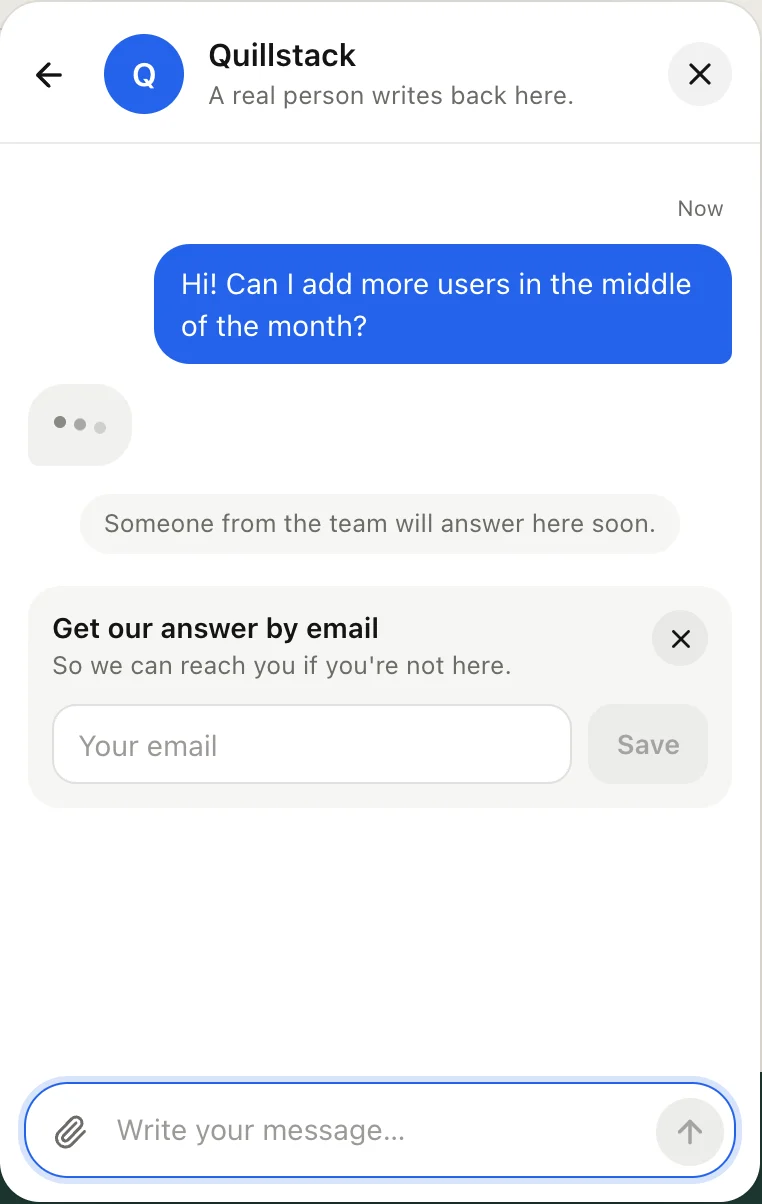
Nora answers at 11 pm, saves the visitor's details, and your team picks it up in the morning with the whole story.
- 1Nora answers at 11 pm
- 2The lead lands on your pipeline
- 3Your team follows up in the morning
What changes on Monday.
- 01
BeforeThe same questions every day, answered by hand
With AloriNora answers from your help center and hands off the rest
- 02
BeforeChats in tawk.to, deals and invoices somewhere else
With AloriEvery chat on the customer's record in your CRM
- 03
BeforeA lead chats at night and nobody follows up
With AloriNora saves their details and puts them on your pipeline
See what they type, before they send it.
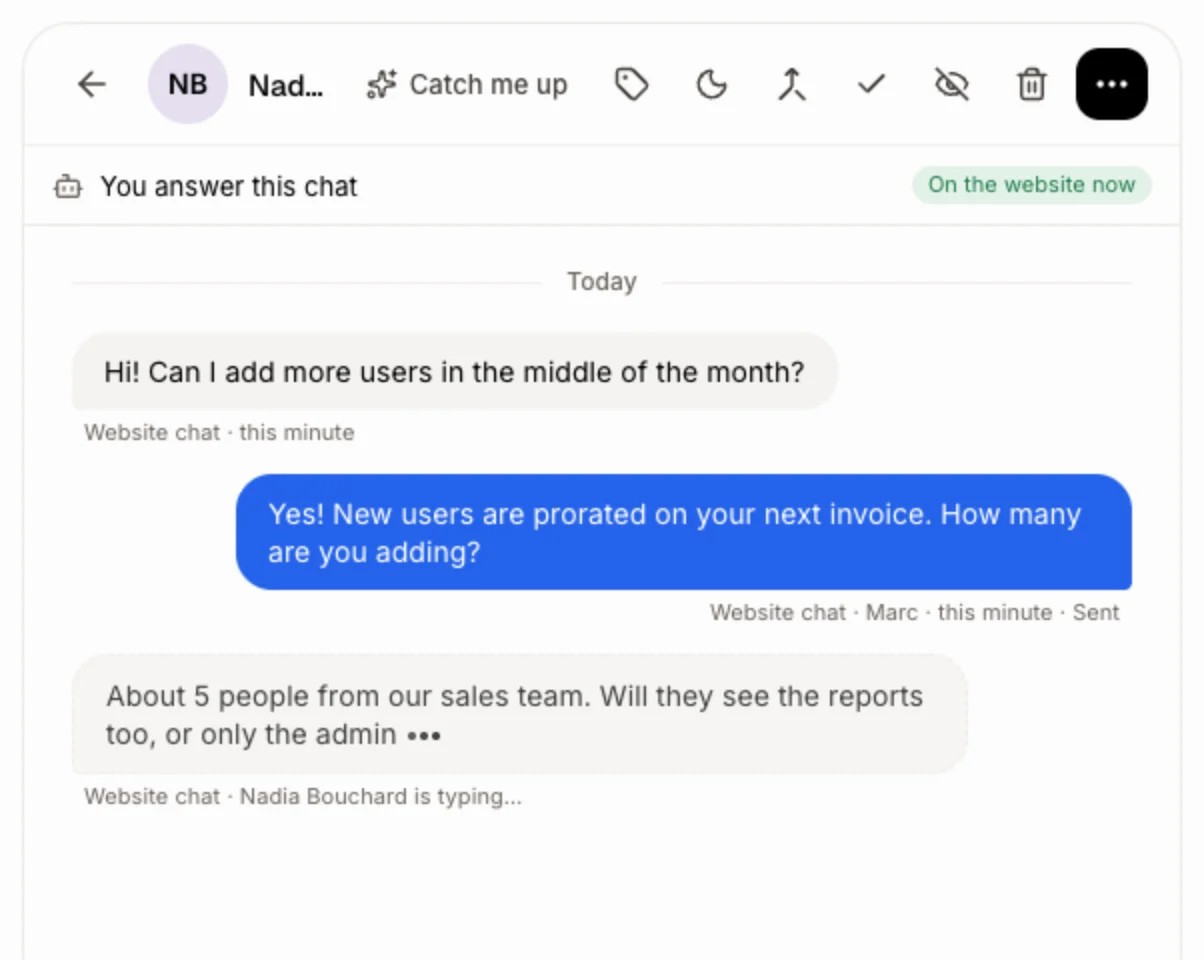
In Conversations, the visitor's words show up while they type, with little dots. You read the question before it's sent, so your answer is ready the moment they hit Enter.
- Nothing to turn on: it works on every website chat.
- If the visitor left the page, your answer follows by text or email.
- Visitors rate the chat with stars.
You pick who answers.
Nora answers first and hands off when she needs a person, or you answer first and she steps in after 2 minutes, or only you, with Nora suggesting each answer.
- Every hand-off says why, for your team.
- When your team answers, Nora remembers it for next time.
- Try her in test mode before she talks to visitors.
Change it by asking.
Your app isn’t frozen on day one. Write what you need, the way you’d text it. Alori makes the change and shows you before anything goes live.
- Turn on the chat on our website
- Have Nora answer first and hand off new projects to me
- Which chats became deals this month?
- Write a help article on how our projects work
The full guide
Everything above, in detail: how it works, what it replaces and what it does not.
Short answer: Alori is a tawk.to alternative for small software companies and agencies whose website chat has grown into real support and sales. The chat comes with Nora, an AI bot that answers from your help center and hands off to a person, plus support email, tickets and a CRM where every chat lands on the customer's record. If you only need a free chat box, tawk.to is hard to beat; if you want the chat to answer and to sell, Alori does more.
Why teams leave tawk.to
tawk.to gives you free live chat, and that's a great deal. Teams leave it when the chat needs to do more:
- Removing the "Powered by tawk.to" branding is $29 a month, and AI Assist is from $29 a month once your chat volume grows.
- Contacts sit in tawk.to, while deals, invoices and calls live in other tools, so nobody sees the whole customer.
- Without an AI bot that knows your business, the same questions come back every day, or you pay hired agents by the hour.
What you pay
tawk.to, as listed on its pricing page in November 2026:
| Team of 5 | tawk.to | Alori |
|---|---|---|
| Live chat | Free, with tawk.to branding | Free plan, no card |
| Remove branding | $29 a month | No add-on to buy |
| AI answers | AI Assist from $29 a month (free for low volume) | Nora, on your plan's credits |
| CRM, support email, tickets, calls | Other tools | Solo from $99 a month, Business from $249, all included |
See pricing for what each Alori plan includes.
What Alori replaces
- Turn on website chat in Front desk and it shows on every page of your Alori website, or paste one line into any other site or web app. Visitors and your team can send photos and files, and visitors search your help articles right in the chat.
- In Conversations, the visitor's words show up while they type, before they hit send.
- Nora, an AI support bot, answers first and hands off when she needs a person, backs you up after 2 minutes, or only suggests answers. She learns from your help center, Company memory and price list, and from each answer your team gives.
- When a visitor gives a name or email, the chat moves onto their customer record, next to their deals, calls and invoices. Visitors who want to buy land on your pipeline.
- A help center in English and French, at your own address on the Business plan.
- Forward support@ to Alori and each email opens a conversation. File a ticket for work that takes more than one reply, with response times per priority.
- Conversations puts chat, email, calls, texts, Messenger and Instagram in one thread per customer.
What Alori doesn't do yet
tawk.to's list of who is on your site right now, hired chat agents by the hour, and a chat that stays free forever with no plan at all. If a free chat box is all you need, stay on tawk.to.
How to switch
- Start free. Describe your business. Alori builds your app with customers, Conversations and Front desk.
- Bring your contacts. Export your contacts from tawk.to as a CSV (it arrives by email), open Ask Sam and paste them after "Add these customers:". Alori adds them, with an Undo button.
- Give Nora something to answer from. In Chat, give Alori the links to your tawk.to knowledge base articles or FAQ pages: each one becomes a help article with its pictures.
- Swap the chat. In Front desk, turn on On your website, or copy the line under Install and put it where the tawk.to script was.
Past tawk.to chats don't come over: tawk.to exports them as JSON files, so keep a copy if you need them.
Questions
Another question? Ask it when you start.
Yes for small teams that want the chat to answer on its own with an AI bot and to feed a CRM, support email and tickets in the same app. If you only want a free chat box, tawk.to is free and does it well.
Alori has a free plan, no card needed, with credits to try your AI team. You set up the chat, the help center and Nora for free, then buy credits or pick a plan when Nora starts answering a lot.
Nora, Alori's support bot, answers website chats and support email from your help center and Company memory, hands off to a person with the reason, and learns from your team's answers. She uses your plan's credits.
Your contacts, from the CSV tawk.to emails you, and your knowledge base articles, one link each. Past chats don't come over.
Small software companies and agencies, usually under 50 people.
Related pages
See all →- Adobe Acrobat Sign alternativeQuotes clients sign, without per-license fees
- Crisp alternativeWebsite chat and AI bot inside your CRM
- Document360 alternativeA help center that updates and answers
- DocuSign alternativeQuotes and employee contracts signed online
- Dropbox Sign alternativeSigned quotes that land on the deal
- Freshdesk alternativeTickets, chat and AI bot, no per-agent bill