
Microsoft Teams alternative
Chat, meetings and calls, next to your customers.
Team chat, voice rooms, video meetings with AI notes and a business phone, in the same app as your customers, deals and invoices. Unlimited users on every plan.
Free plan, no card. Invite your team and bring your Teams meeting recordings.

Microsoft Teams and Alori, side by side.
Microsoft TeamsAloriFrom a chat to a meeting to the next step.
Talk it through in a voice room, meet the client on video, and the notes land on the customer with their tasks.
- 1Drop into a voice room
- 2Ask Sam in the channel
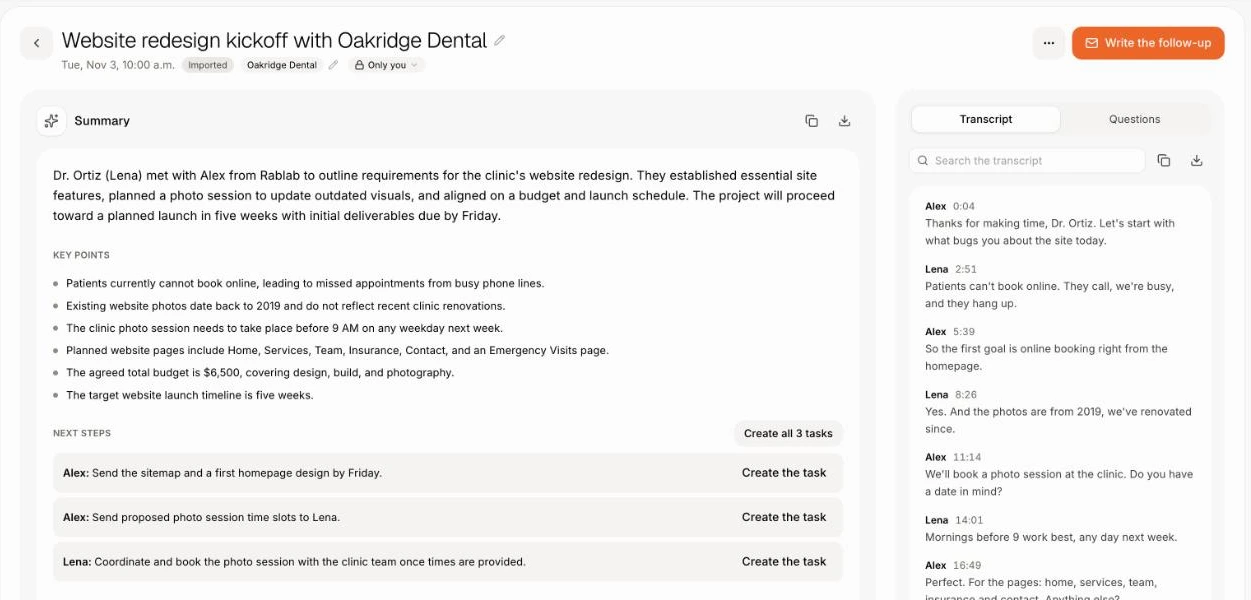
- 3The meeting writes itself up
What changes on Monday.
- 01
BeforeA deal gets discussed in Teams, the customer lives in another app
With AloriAsk Sam in the channel and he pulls up the customer and the deal
- 02
BeforeCalling customers needs Teams Phone for every person
With AloriOne business number, ringing in Alori and on any cell
- 03
BeforeMeeting notes are retyped into the CRM
With AloriThe summary and next steps land on the customer
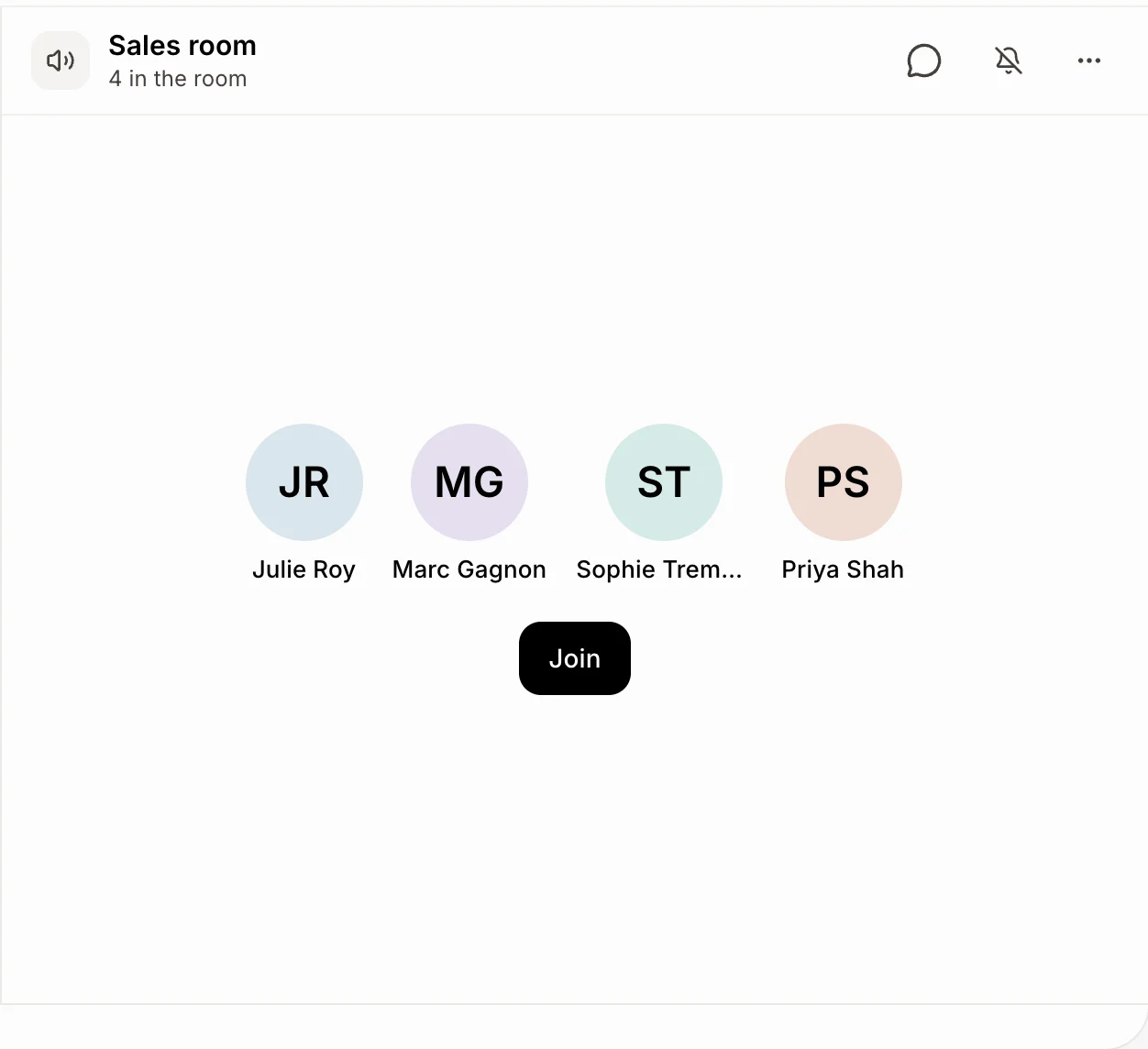
Voice rooms: just drop in.
Each voice room is always open. Click it and you're talking, like walking over to a teammate's desk. Turn your camera on, share your screen, and talk with one person or the whole team.
- Keep working: a small panel with everyone's face follows you on every page.
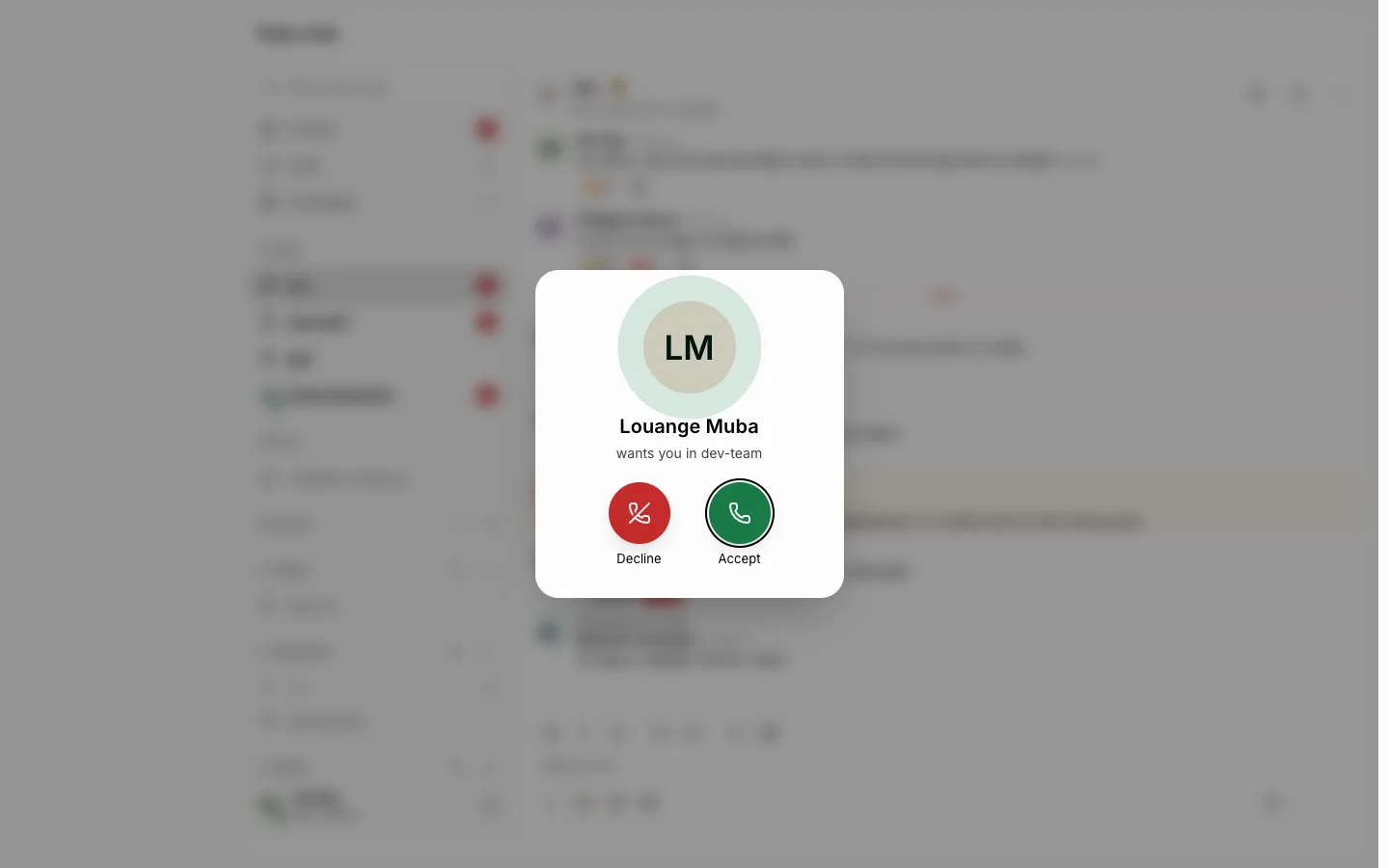
- Ring a teammate into the room: their screen rings like a phone.
- Click the red dot to record, and the talk lands in Meetings with notes.
Your bots are teammates too.
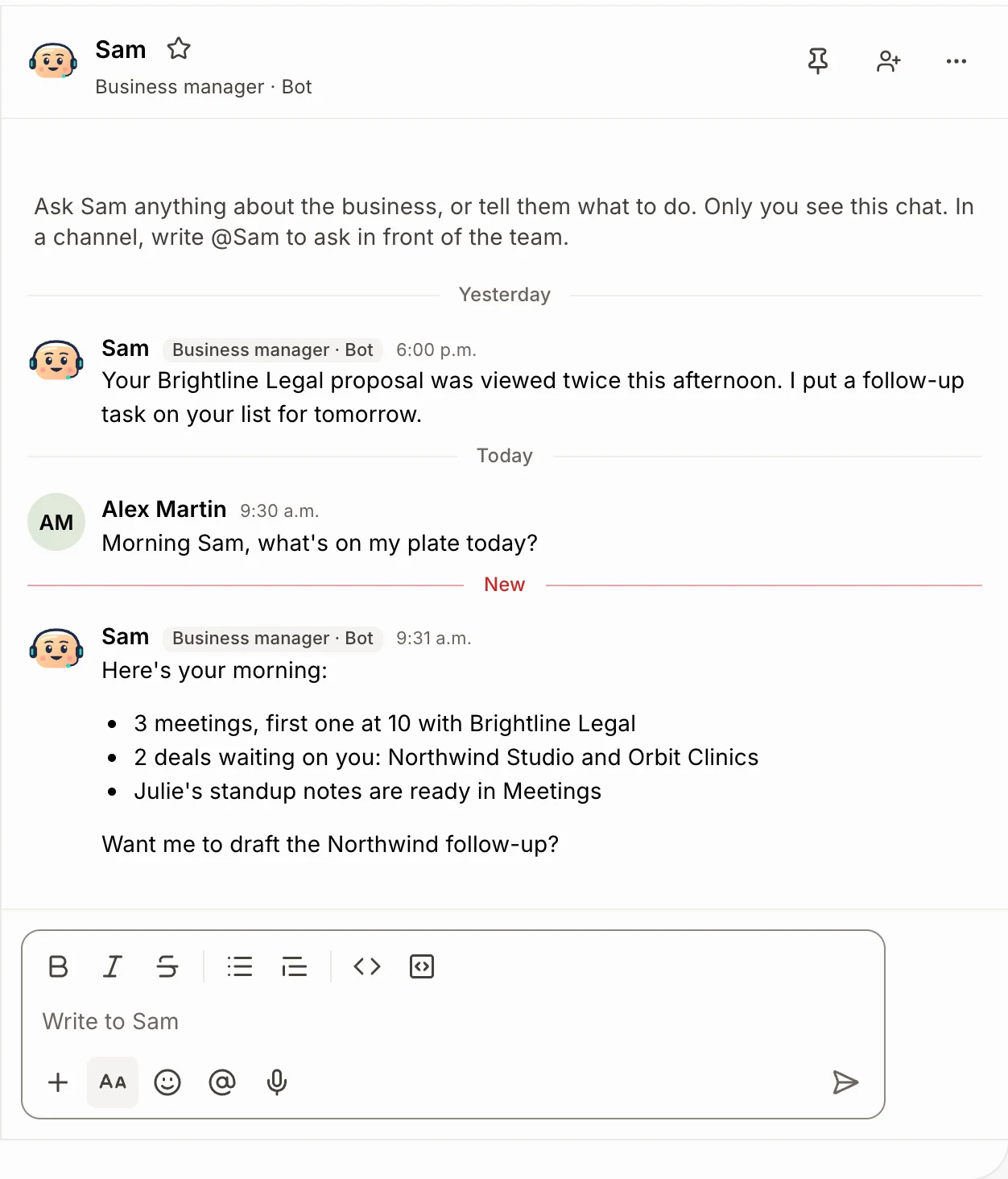
Sam, your team bot, sits in Team chat like anyone else. Message him directly, or @Sam in any channel, and he answers right there: looks up a customer, moves a deal, writes a task.
- Every teammate has a direct message with each bot.
- @Leo for sales coaching on your calls.
- He acts with the same access as the person asking.
Meetings that file themselves.
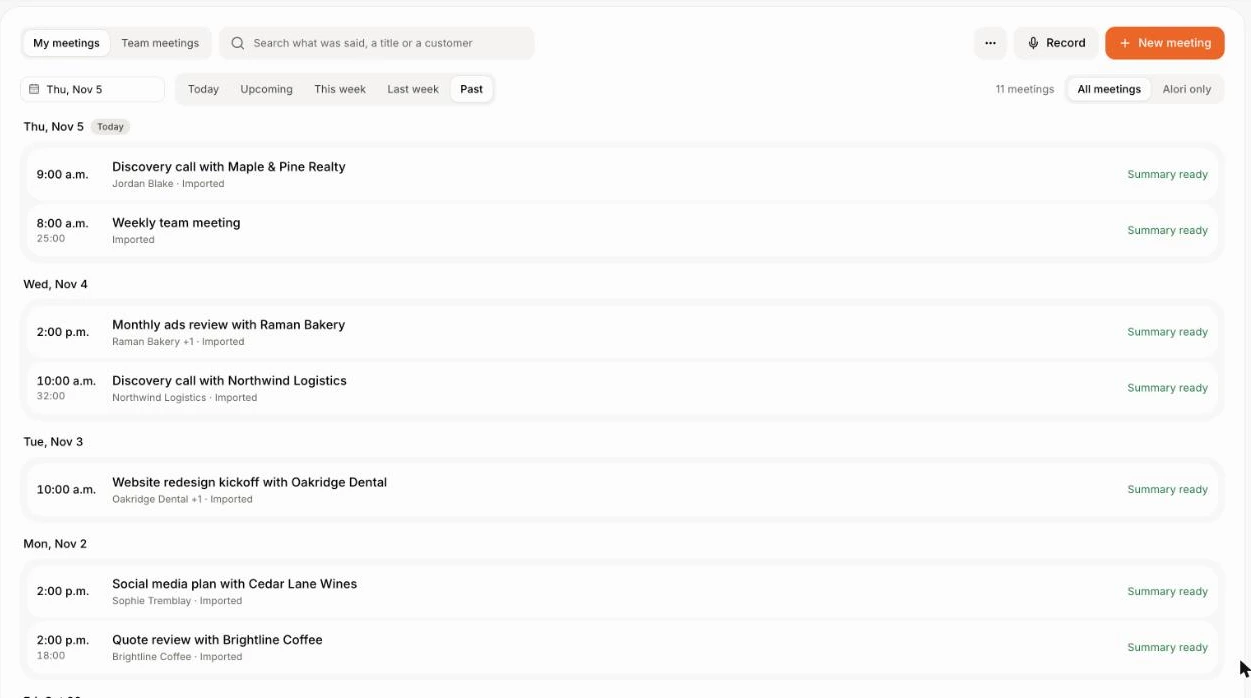
Share a meeting link that needs no account. Record it, and Alori writes the transcript, a summary and next steps on the customer's file.
- Everyone sees when the meeting is recorded.
- Turn a next step into a task in one click.
- Old Teams recordings and transcripts come in through Import.
Change it by asking.
Your app isn’t frozen on day one. Write what you need, the way you’d text it. Alori makes the change and shows you before anything goes live.
- Make channels #sales and #support with the whole team
- Invite our client Owen to the #northwind channel
- What did we decide in yesterday's meeting with Brightdesk?
- Schedule a message in #general for Monday at 8
The full guide
Everything above, in detail: how it works, what it replaces and what it does not.
Short answer: Alori is a Microsoft Teams alternative for small software companies and agencies that want team chat, voice rooms, video meetings and a business phone in the same app as their customers, deals and invoices. Meetings and calls are recorded, written out and summarized on the customer, your AI bots answer in the chat, and every plan has unlimited users. If your company runs on Word, Excel and SharePoint, keep Teams.
Why teams leave Microsoft Teams
Microsoft Teams is a good deal for chat and meetings, especially inside Microsoft 365. Small teams leave it when the work happens somewhere else:
- A deal gets discussed in Teams, but the customer, the quote and the invoice live in other apps.
- Calling a customer from Teams needs Teams Phone for each person, plus a calling plan.
- Meeting recaps and an AI that acts on your CRM come from more licenses or more apps.
What you pay
Microsoft, as listed on its Teams pricing page in November 2026 (yearly billing):
| Team of 5 | Microsoft Teams | Alori |
|---|---|---|
| Chat and meetings | $20 a month on Teams Essentials ($4 a user), $35 on Microsoft 365 Business Basic ($7 a user) | Included, unlimited users |
| Business phone | Teams Phone with a calling plan, $17 a user: $85 a month | Calls and numbers use your plan's credits |
| CRM, deals, invoices | Not included | Included |
| Plan | Per user | Free to start, Solo from $99 a month, Business from $249 |
Teams on its own costs less than Alori. Alori replaces it together with your CRM, phone and invoicing; see pricing.
What Alori replaces
- Team chat with public and private channels, direct and group messages, threads, reactions, pins and files, grouped into categories everyone sees. Save a message for later, schedule one for tomorrow at 8, or set a status and pause notifications.
- Voice rooms that stay open: click one and you're talking, with your camera and screen sharing. A small panel with everyone's face follows you while you work, and you can ring a teammate into the room.
- Video meetings: put a meeting on the calendar or start one, share a link that needs no account, and record it. The recording, transcript and AI summary land on the customer, with next steps you turn into tasks.
- Sam, the team bot, has a direct message with each teammate and answers when you write @Sam in a channel: he looks up a customer, moves a deal or writes a task. Leo, the sales coach, answers to @Leo.
- Invite a client or a contractor by email to one channel. They see only that channel, never your CRM, and take no seat.
- A business phone with a local Canadian or US number, call flows, recordings and summaries on the customer, ringing in Alori and on any cell you add. See calls.
- The work behind the chat: customers, deals, tasks and invoices, plus automations that post new deals or paid invoices in a channel.
What Alori doesn't do yet
Word, Excel, PowerPoint, Outlook and SharePoint files edited together, webinars and town halls for large audiences, desk phones, and numbers outside Canada and the US. Alori has no import for Teams chat history. If your company lives in Microsoft 365, keep Teams and use Alori for customers and sales.
How to switch
- Start free. Describe your business. Alori builds your app, Team chat and Meetings included.
- Invite your team and make your channels. Invite your teammates by email, then ask Sam "Make channels #sales and #support with the whole team".
- Bring your meeting notes. In Meetings › ⋯ › Import, add a Teams recording or transcript file. Alori fills the title and date from the file name and writes the summary and next steps.
- Bring your number if you call from Teams. In Phone system › Numbers, click Bring a number you already have, add your account number and a recent bill, and sign the authorization. Keep Teams Phone until the move shows Done.
Questions
Another question? Ask it when you start.
Yes, for small software companies and agencies that want chat, meetings and calls next to their customers and deals. If your team edits Office files together all day, Teams inside Microsoft 365 fits better.
Not for chat alone: Teams Essentials is $4 a user a month. Alori pays off when it also replaces your CRM, business phone, meeting notes and invoicing, with unlimited users from $99 a month.
For calls with customers in Canada and the US, yes: a business number, call flows, voicemail written out, and every call recorded and summarized on the customer. Desk phones and numbers in other countries stay on Teams Phone.
Yes. Everyone sees when a meeting or voice room is recorded. The recording, transcript and summary land in Meetings and on the customer.
Small software companies and agencies, usually under 50 people.
Related pages
See all →- Acuity alternativeBooking links, reminders and team scheduling
- Aircall alternativeA business phone that knows the customer
- Avoma alternativeNotes, coaching and booking inside your CRM
- Cal.com alternativeBooking links next to your CRM and deals
- Calendly alternativeBooking links, online booking and reminders
- Chorus alternativeCall coaching and notes inside your CRM